
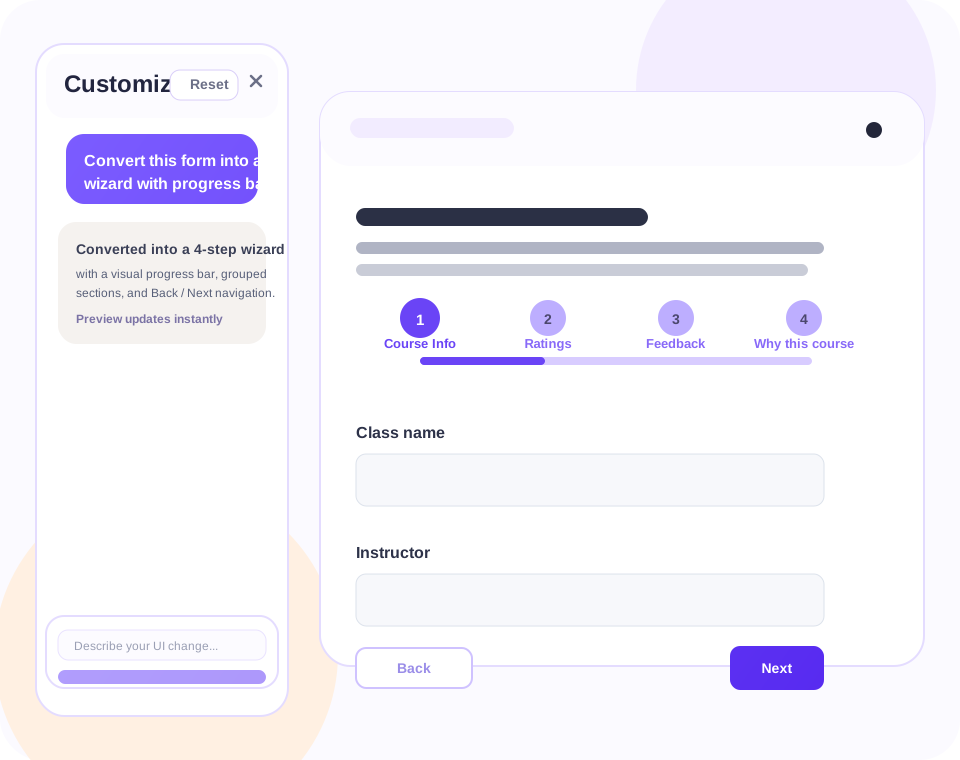
Wizard with progress bar
"Convert this form into a wizard with progress bar."
Prompt it with "Convert this form into a wizard with progress bar" and preview the result instantly.
Prompt examples
Use plain-language prompts to reshape the form flow, layout, and visual styling while keeping the underlying Google Form intact.
"Convert this form into a wizard with progress bar."
"Use our brand colors, tighten the spacing, and make the buttons feel more premium."
"Group related questions into sections and make the experience feel more guided."
How it works
Appfacade focuses on presentation and interaction. The underlying Google Form stays connected, while the user-facing experience becomes easier to navigate and more aligned with your brand.
Start from an existing form and launch Appfacade inside the add-on workflow.
Use prompts such as "Make this a 4-step onboarding wizard" or "Simplify the page and add progress feedback."
Preview generated changes, refine if needed, and publish a cleaner customer-facing version.
Designed for practical UI upgrades